QFX files, back to readable Excel.
Quicken's format, opened in a spreadsheet you can actually edit.
This is what comes out.
Real extractions. Real banks. The Excel files below were produced by the tool, not mocked up.

Chase Total Checking · 3 pages · 38 transactions

XLSX · 7 columns · QuickBooks-ready


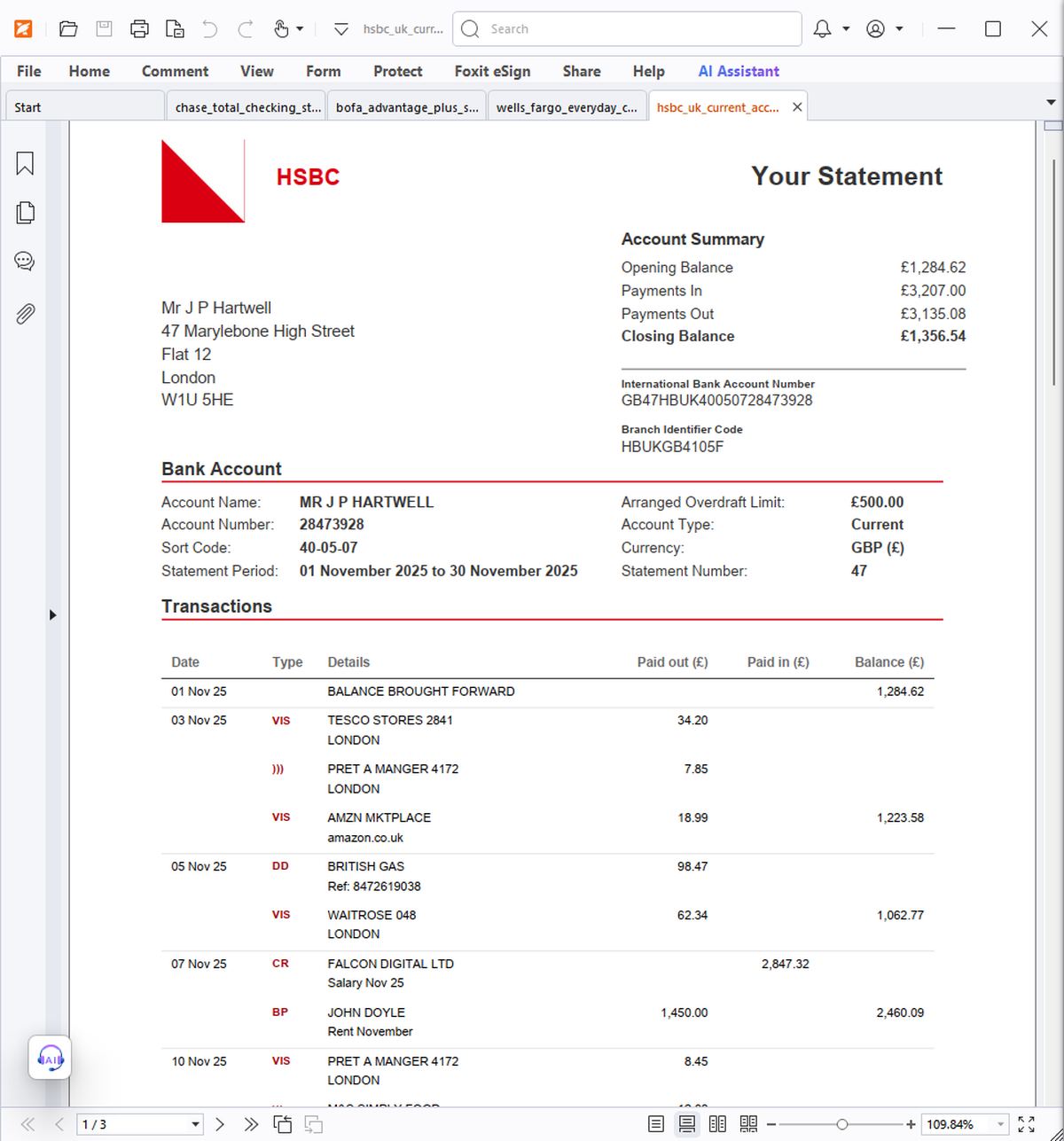
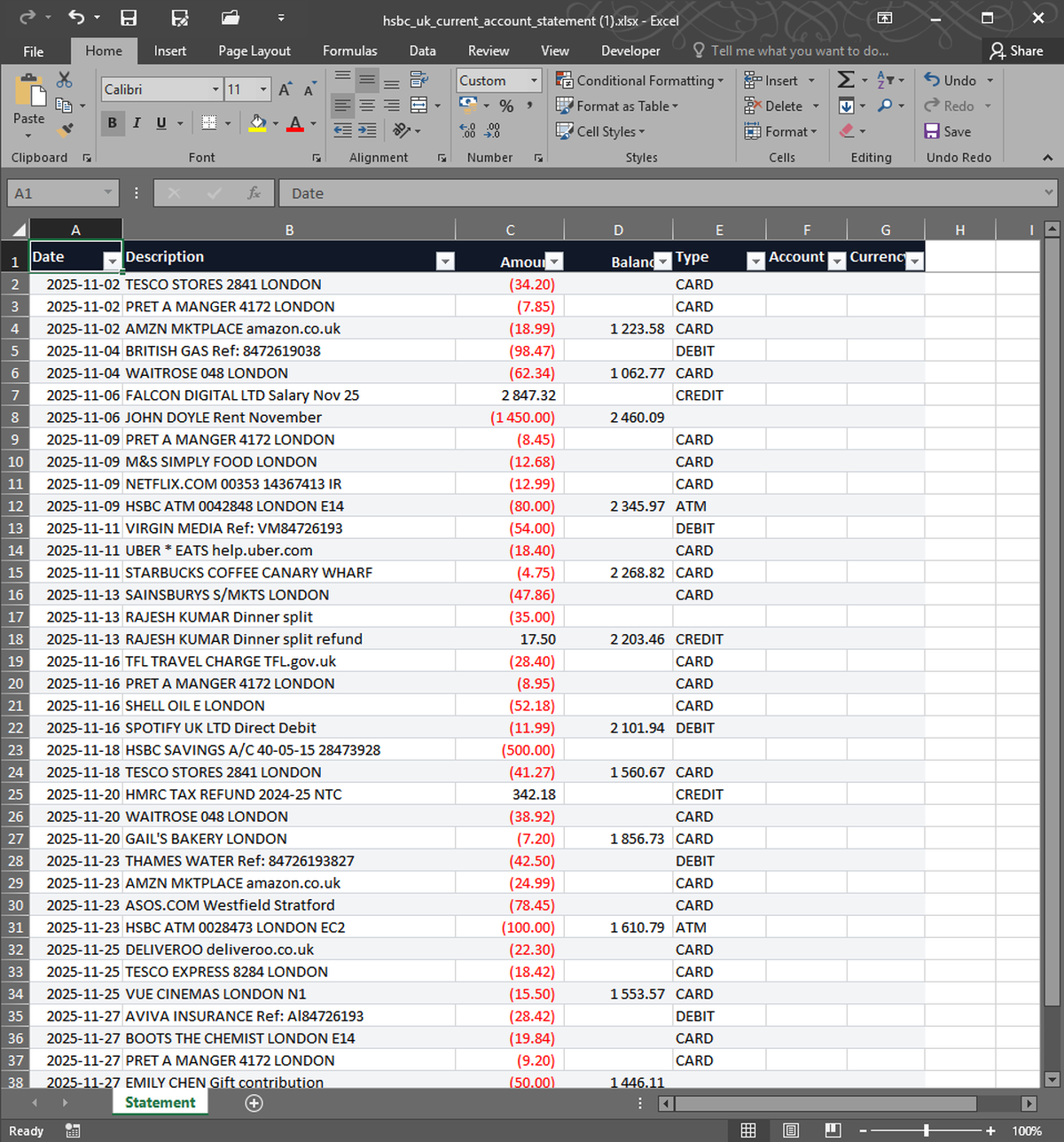


What you upload. What you get back. Nothing in between.
QFX is Quicken's flavor of OFX — same structure with a few extra header fields. StatementSnap reads QFX files exported from Quicken Mac, Quicken Windows, and direct-connect bank downloads, and writes each transaction to its own row. Date, description, amount, type, payee, and category are all preserved when present.
| Free tier | 2 free, no signup |
| Per conversion | $0.99 |
| Pack of 10 | $4.99 ($0.50 each) |
| Monthly 200 | $7.99/month |
| Files stored | No — processed in memory, deleted in 24h |
| Output formats | Excel (XLSX), CSV |
| Input formats | PDF, CSV, XLSX, OFX, QFX |
| Languages | English, Spanish, Portuguese |
Can I import the output back into Quicken later?+
The Excel and CSV outputs are for reading and analysis. To import back into Quicken, keep your original QFX file as the source.
Does this read QFX from any bank?+
Yes. The QFX standard is consistent across institutions, so files from any U.S. bank or credit union work.
Real users, real names. We publish critical reviews too.
More reviews as users arrive. We list everyone, even the critical ones.
- Payments processed by Stripe ↗
- Hosted on Cloudflare ↗
- Files auto-deleted within 24 hours