QFX files, as a plain CSV.
ISO dates, numeric amounts, one row per transaction.
This is what comes out.
Real extractions. Real banks. The Excel files below were produced by the tool, not mocked up.

Chase Total Checking · 3 pages · 38 transactions

XLSX · 7 columns · QuickBooks-ready


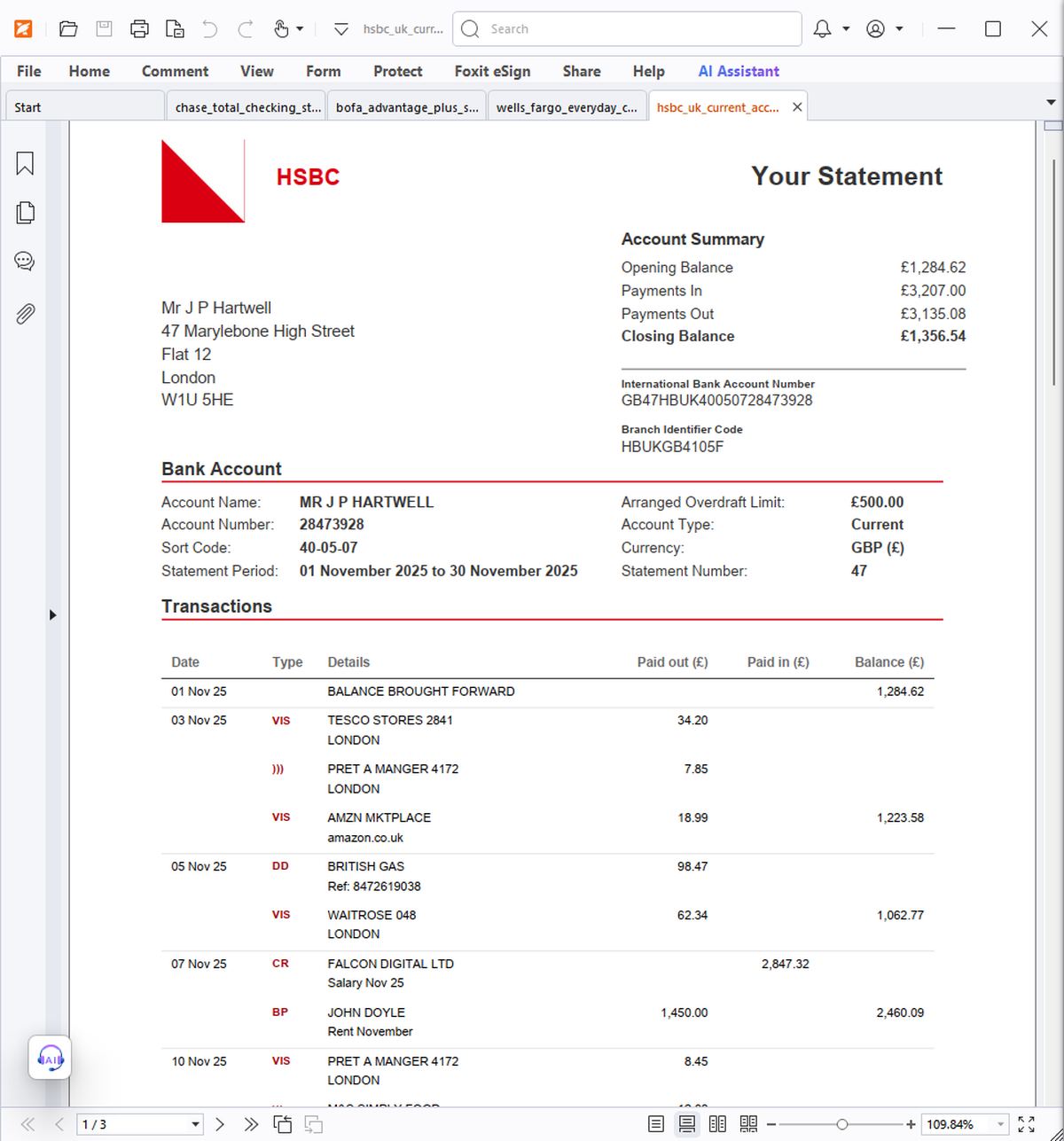
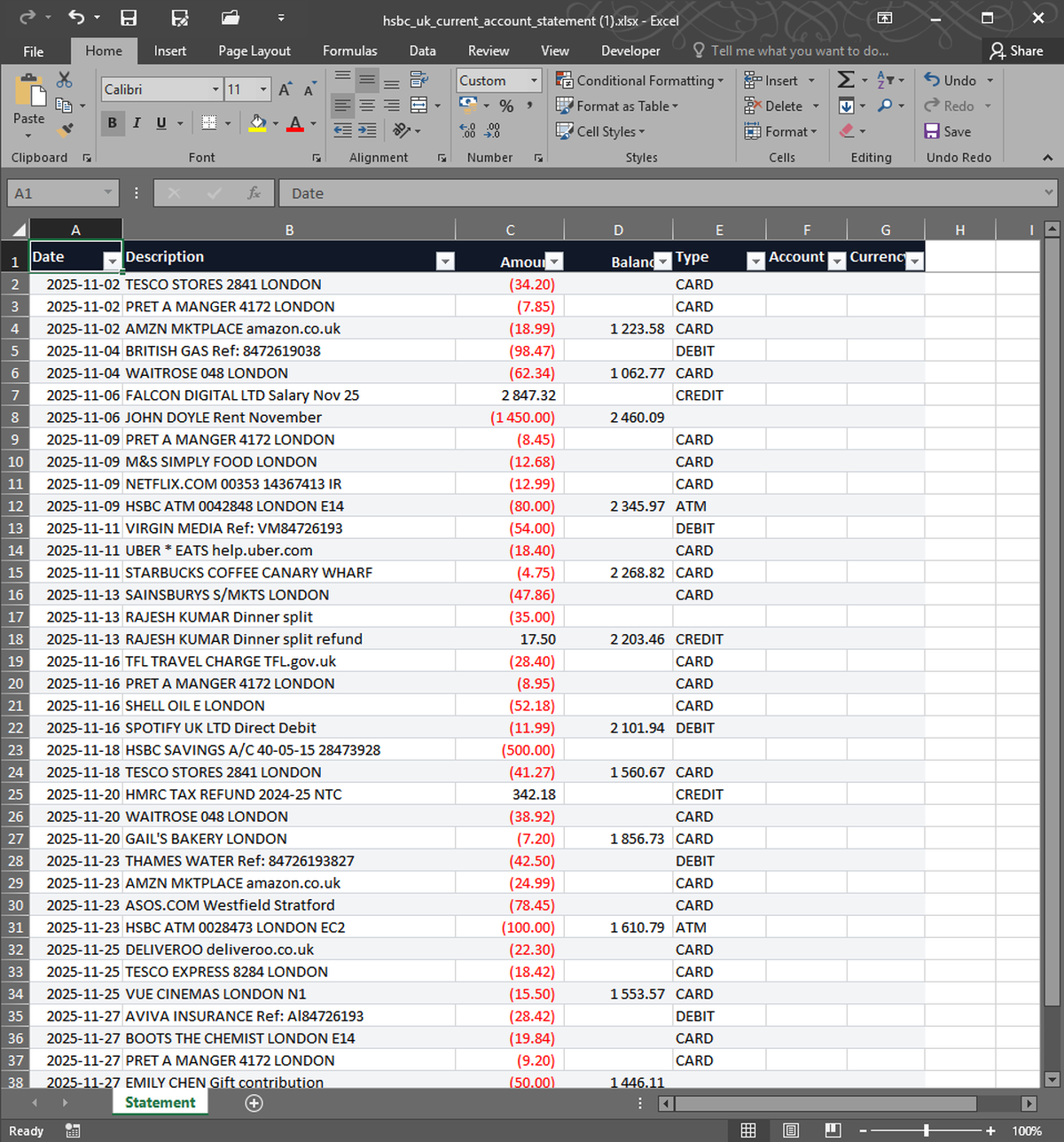


What you upload. What you get back. Nothing in between.
If you need transactions out of Quicken and into a script, a database, or another tool, CSV is the right format. StatementSnap converts QFX files to UTF-8 CSV with ISO 8601 dates and numeric amounts — clean enough to pipe straight into pandas, Postgres, or any spreadsheet without cleanup.
| Free tier | 2 free, no signup |
| Per conversion | $0.99 |
| Pack of 10 | $4.99 ($0.50 each) |
| Monthly 200 | $7.99/month |
| Files stored | No — processed in memory, deleted in 24h |
| Output formats | Excel (XLSX), CSV |
| Input formats | PDF, CSV, XLSX, OFX, QFX |
| Languages | English, Spanish, Portuguese |
What encoding is the CSV?+
UTF-8 with a BOM, so Excel opens it correctly on Windows without garbled accented characters.
How are dates formatted?+
ISO 8601 (YYYY-MM-DD). This is the format pandas, Postgres, BigQuery, and Excel all parse without ambiguity.
Real users, real names. We publish critical reviews too.
More reviews as users arrive. We list everyone, even the critical ones.
- Payments processed by Stripe ↗
- Hosted on Cloudflare ↗
- Files auto-deleted within 24 hours