PDF bank statements, as a clean spreadsheet.
Drop the PDF. Get rows in seconds.
This is what comes out.
Real extractions. Real banks. The Excel files below were produced by the tool, not mocked up.

Chase Total Checking · 3 pages · 38 transactions

XLSX · 7 columns · QuickBooks-ready


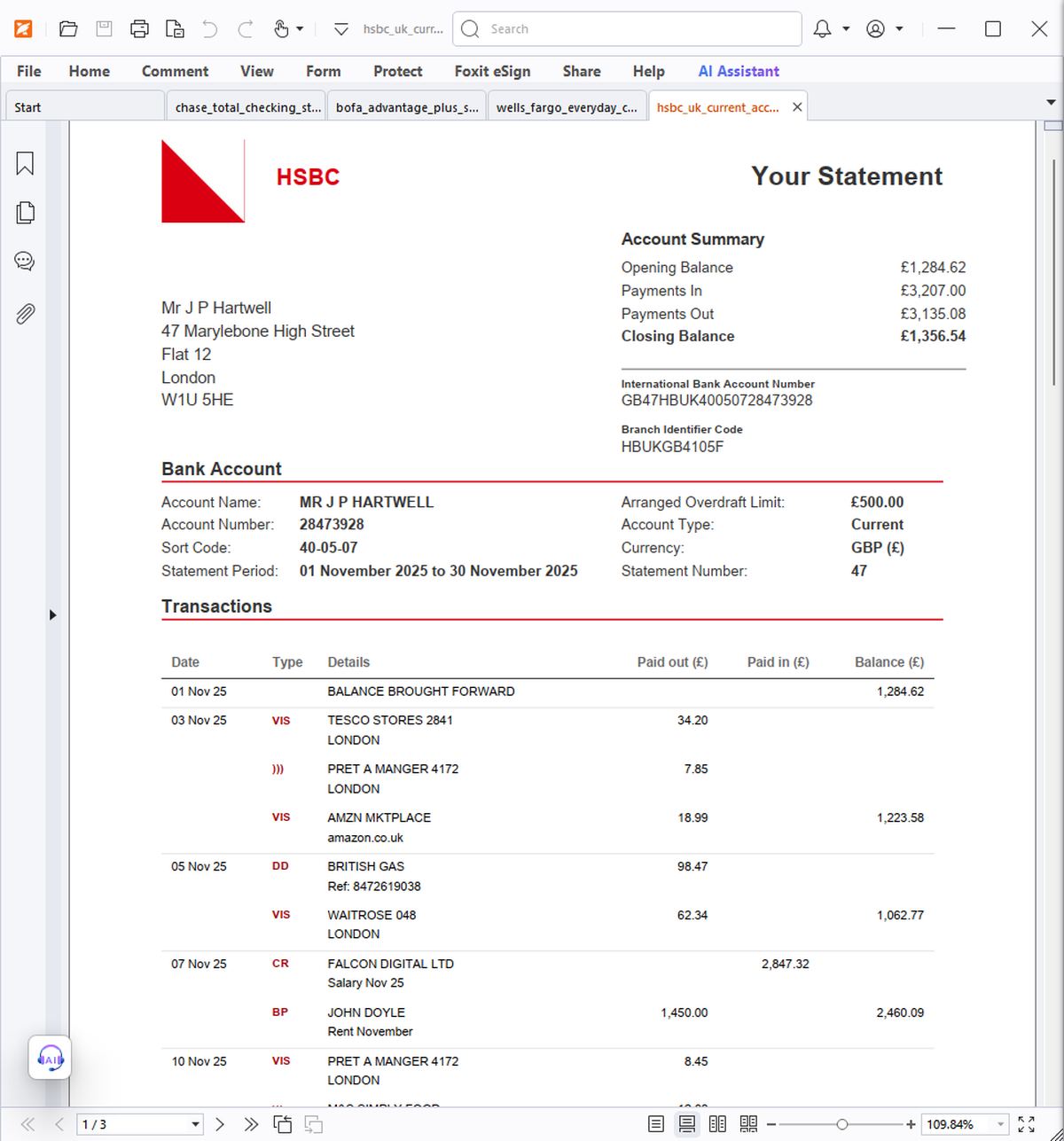
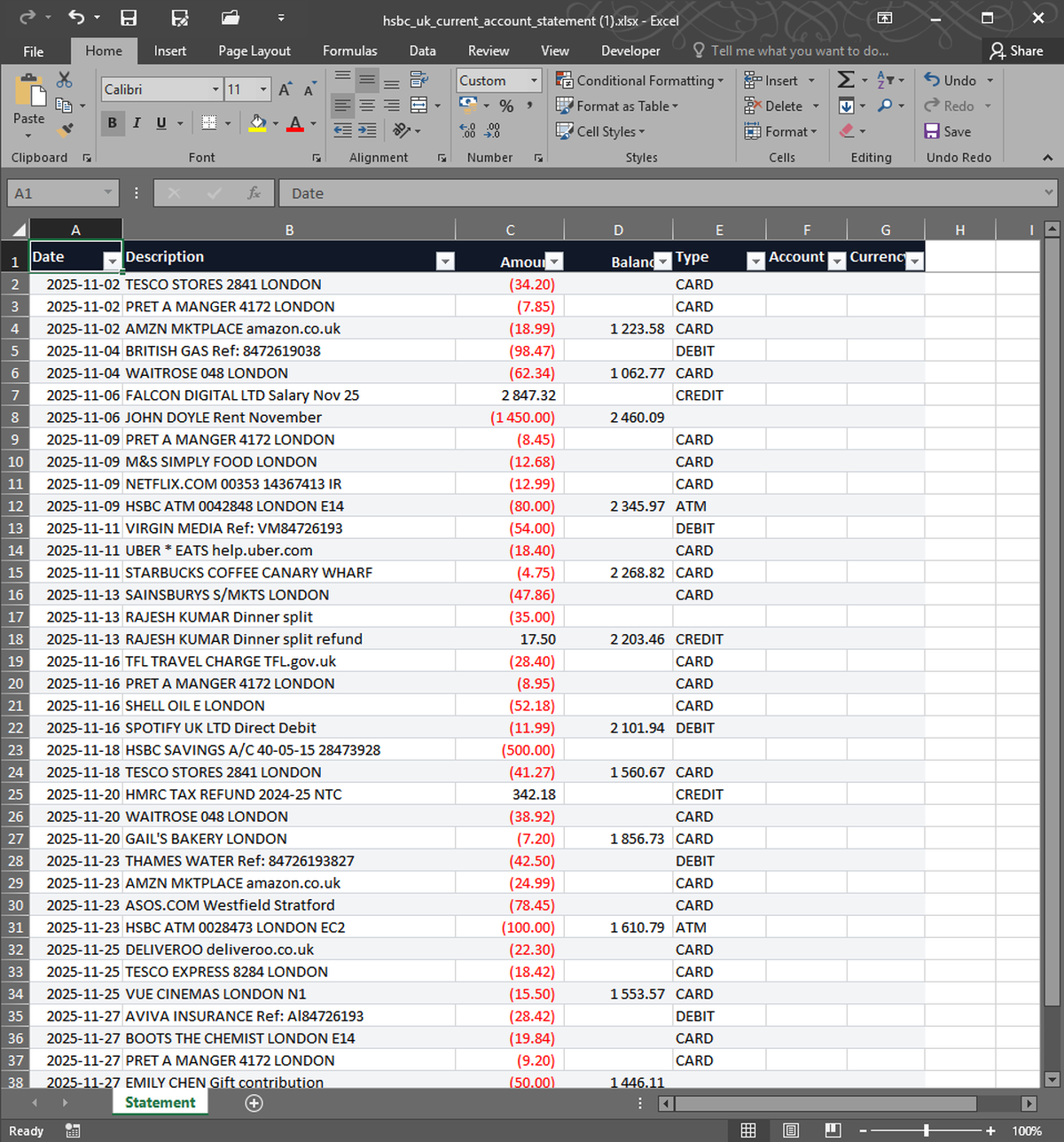


What you upload. What you get back. Nothing in between.
Bank PDFs are designed to look like tables, not to be tables. Copying transactions out by hand is slow and error-prone. StatementSnap reads each page visually and outputs proper Excel rows with date, description, amount, and balance. Works on PDFs from any bank, scanned or native. First 2 conversions free.
| Free tier | 2 free, no signup |
| Per conversion | $0.99 |
| Pack of 10 | $4.99 ($0.50 each) |
| Monthly 200 | $7.99/month |
| Files stored | No — processed in memory, deleted in 24h |
| Output formats | Excel (XLSX), CSV |
| Input formats | PDF, CSV, XLSX, OFX, QFX |
| Languages | English, Spanish, Portuguese |
Does this work on scanned PDFs?+
Yes. The visual model reads pixels, so scanned and photographed statements extract correctly.
What if my PDF is password-protected?+
Remove the password first using your PDF reader's export-without-password option, then upload. We don't accept passwords for security reasons.
Real users, real names. We publish critical reviews too.
More reviews as users arrive. We list everyone, even the critical ones.
- Payments processed by Stripe ↗
- Hosted on Cloudflare ↗
- Files auto-deleted within 24 hours