Your Chase statement, as a clean spreadsheet.
Drop the PDF, CSV, OFX, or QFX. Get organized rows in seconds.
This is what comes out.
Real extractions. Real banks. The Excel files below were produced by the tool, not mocked up.

Chase Total Checking · 3 pages · 38 transactions

XLSX · 7 columns · QuickBooks-ready


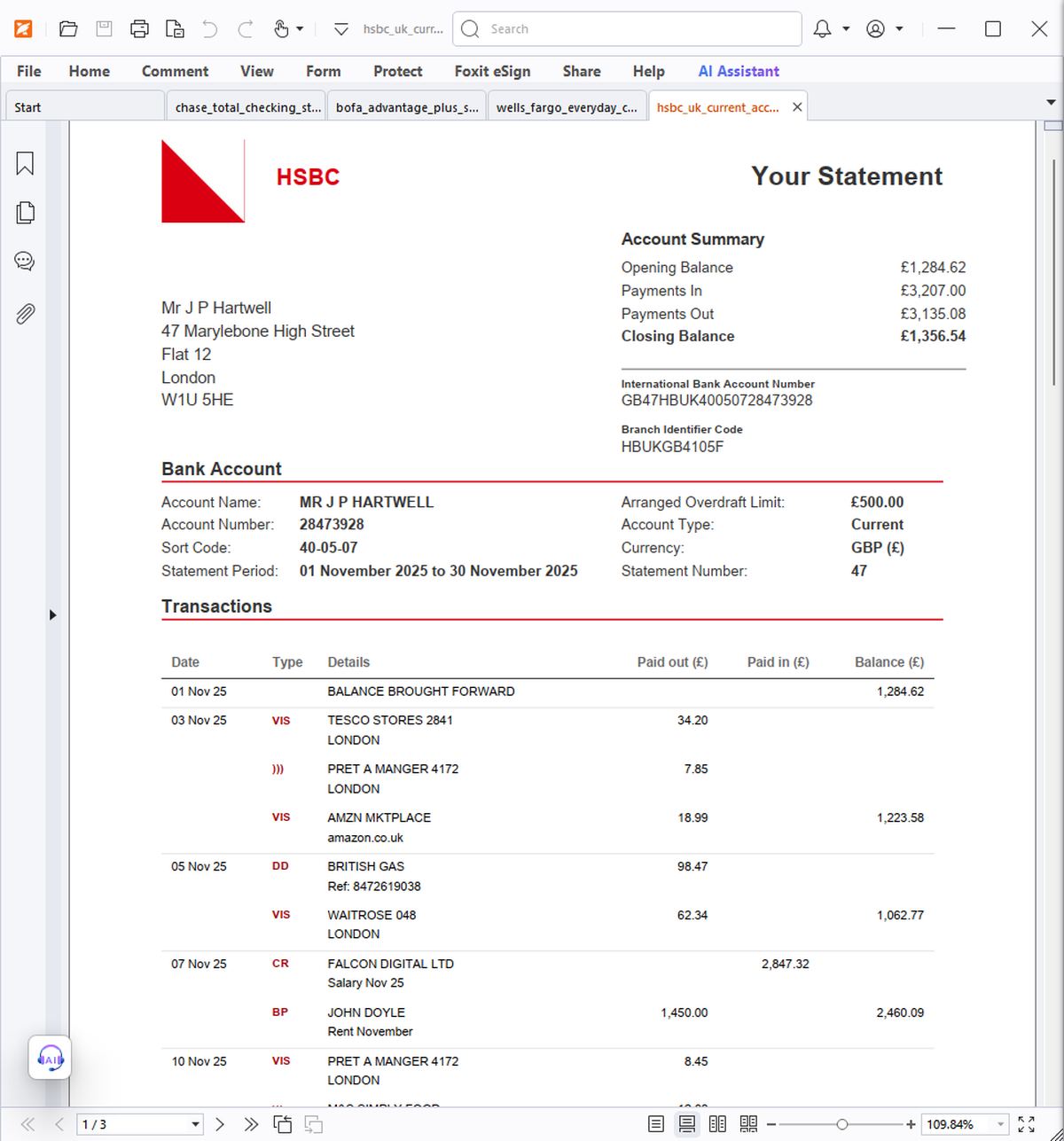
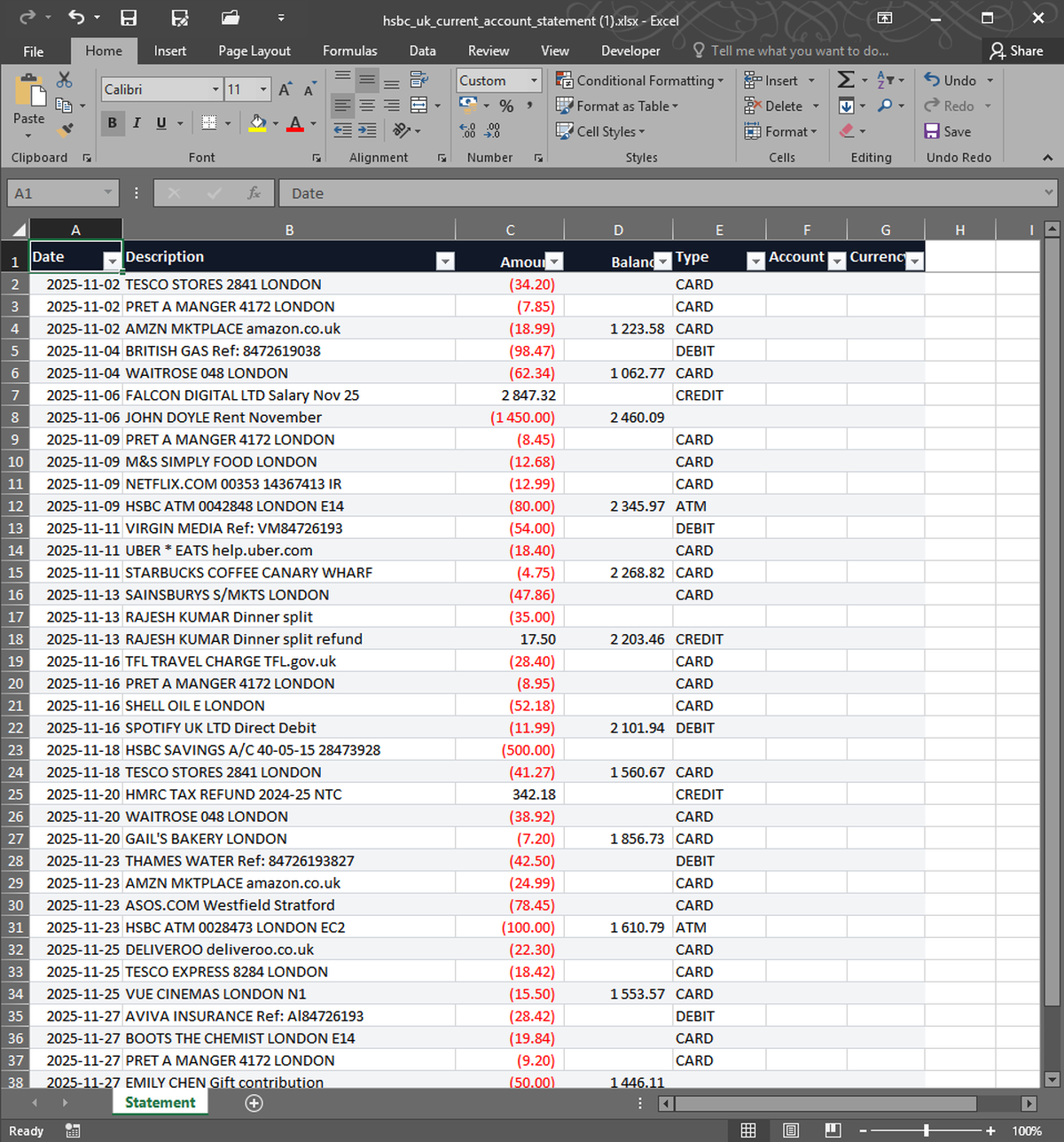


What you upload. What you get back. Nothing in between.
Chase statements arrive as PDFs that read fine but resist every attempt to copy. The columns drift, the dates wrap, and pasting into Excel turns ninety transactions into one long sentence. StatementSnap reads the PDF as it appears on screen — same as a human would — and writes each transaction as a proper row with date, description, amount, and running balance. Personal, business, and joint accounts are all supported. So are credit card statements and combined statements with multiple accounts. Files are processed in memory, encrypted in transit, never stored long-term, and auto-deleted within 24 hours — your data belongs to you. The first conversion is free, full quality, no signup.
| Free tier | 2 free, no signup |
| Per conversion | $0.99 |
| Pack of 10 | $4.99 ($0.50 each) |
| Monthly 200 | $7.99/month |
| Files stored | No — processed in memory, deleted in 24h |
| Output formats | Excel (XLSX), CSV |
| Input formats | PDF, CSV, XLSX, OFX, QFX |
| Languages | English, Spanish, Portuguese |
Which Chase statements work?+
All of them. Personal checking, business checking, savings, Sapphire and Freedom credit cards, combined statements, and the older paper-style PDFs from before 2015. CSV and QFX exports from Chase Online also work.
How accurate is the extraction?+
On native digital PDFs from Chase, accuracy is consistently above 99% per field. On scanned or photographed statements it drops — for those, we recommend exporting CSV directly from Chase Online when possible.
What happens to my statement after conversion?+
Your statement is processed in memory and never written to a long-term database. Any temporary file used during the conversion is encrypted in transit (TLS), isolated to your session, and automatically purged within 24 hours. No human reads it. We never share it, sell data from it, or use it to train any AI model — your data belongs to you.
Will the Excel file work with QuickBooks or Xero?+
Yes. The CSV output uses ISO dates and numeric amounts that import cleanly into QuickBooks Online, Xero, FreshBooks, and Wave without column mapping.
How many transactions can one file have?+
Statements up to roughly 200 transactions and 30 pages process in well under a minute. Larger files still work but take longer.
Real users, real names. We publish critical reviews too.
More reviews as users arrive. We list everyone, even the critical ones.
- Payments processed by Stripe ↗
- Hosted on Cloudflare ↗
- Files auto-deleted within 24 hours