Mint exports, preserved in Excel.
Keep your transaction history alive after Mint's shutdown.
This is what comes out.
Real extractions. Real banks. The Excel files below were produced by the tool, not mocked up.

Chase Total Checking · 3 pages · 38 transactions

XLSX · 7 columns · QuickBooks-ready


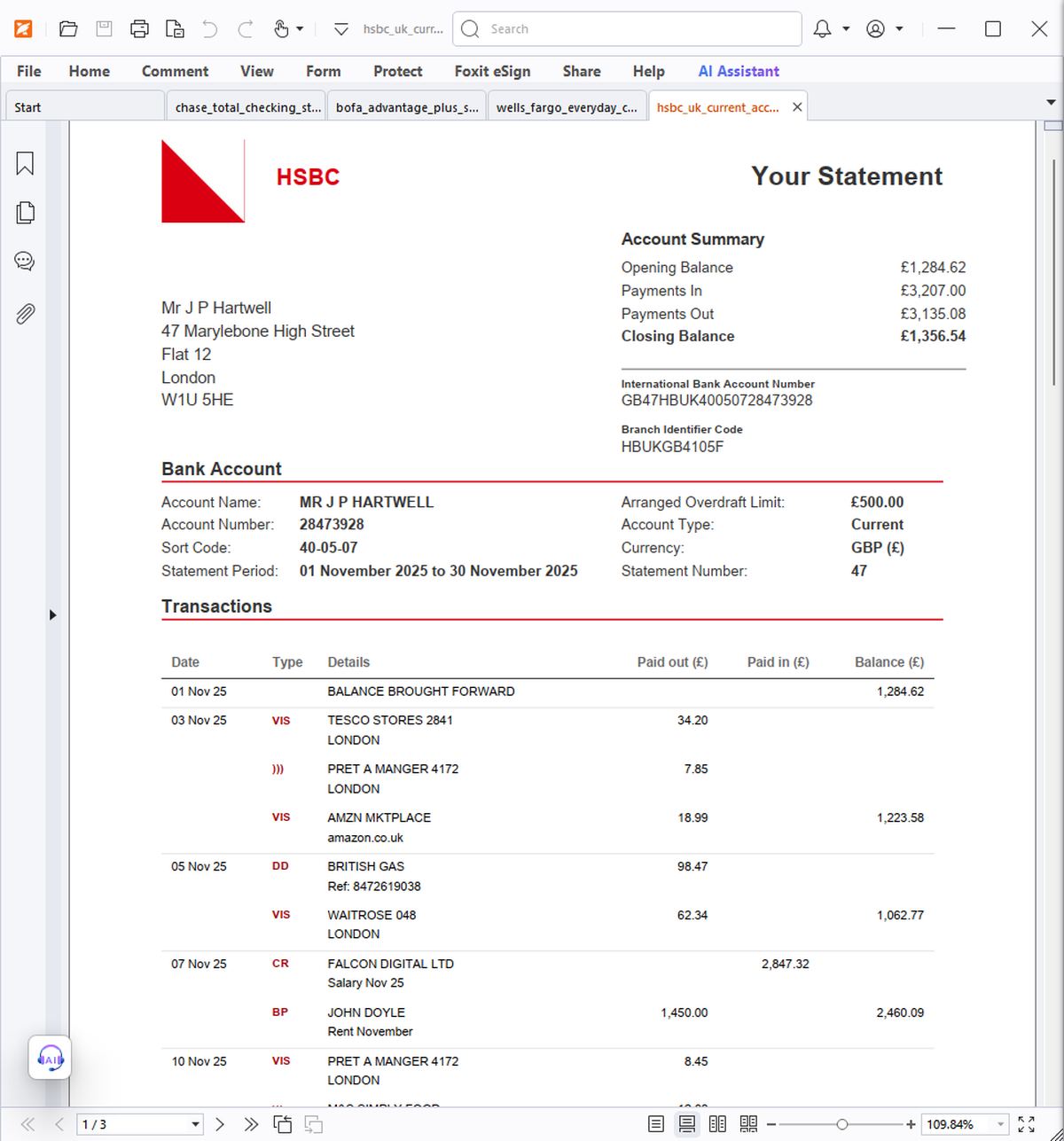
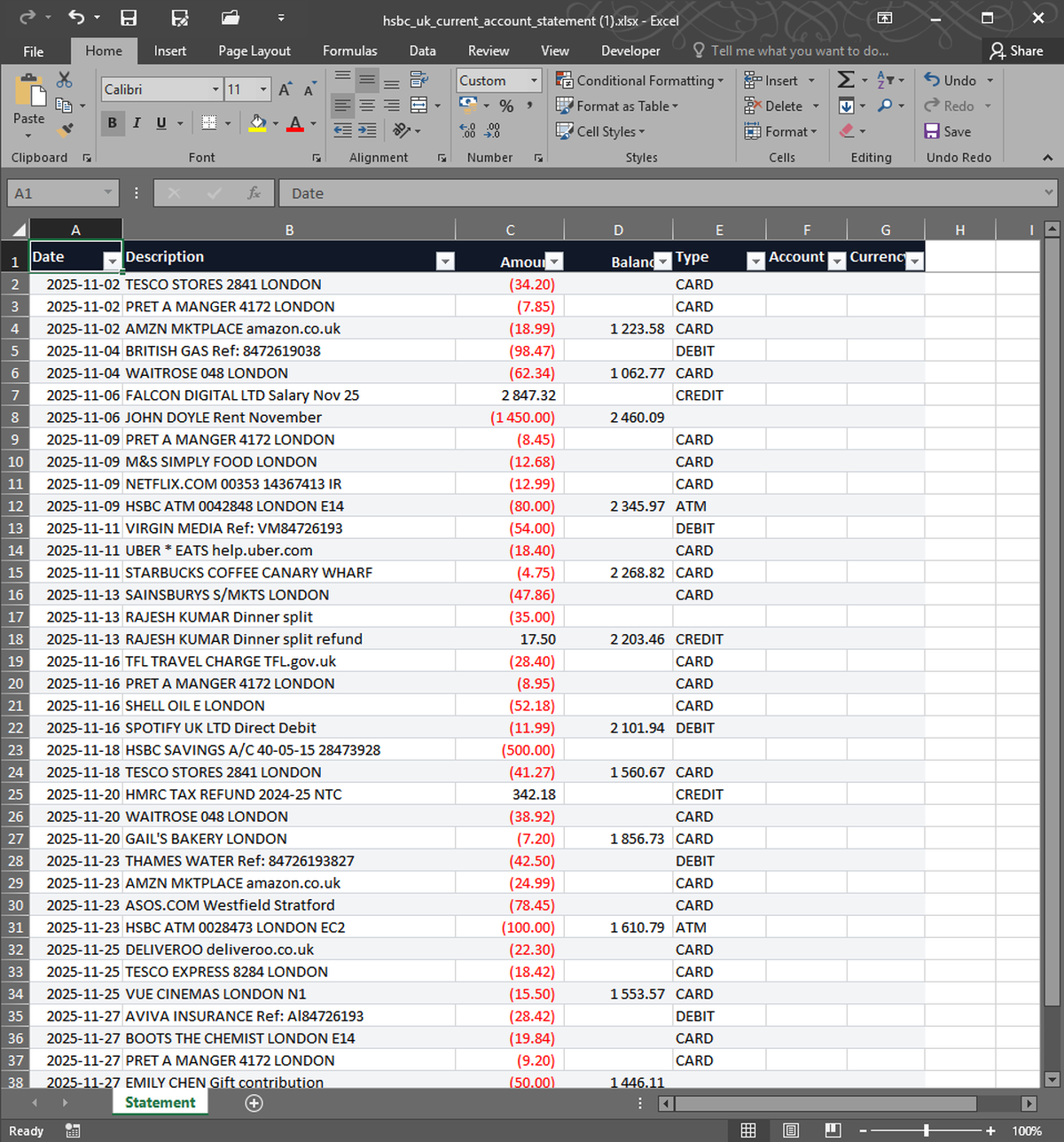


What you upload. What you get back. Nothing in between.
When Mint shut down, the official suggestion was to download a CSV of your data. That CSV is workable but messy — odd column names, escaped commas in descriptions, dates in mm/dd/yyyy. StatementSnap converts your Mint CSV or OFX archive into a clean Excel workbook with proper column types, sorted by date, ready for any tool you migrate to next.
| Free tier | 2 free, no signup |
| Per conversion | $0.99 |
| Pack of 10 | $4.99 ($0.50 each) |
| Monthly 200 | $7.99/month |
| Files stored | No — processed in memory, deleted in 24h |
| Output formats | Excel (XLSX), CSV |
| Input formats | PDF, CSV, XLSX, OFX, QFX |
| Languages | English, Spanish, Portuguese |
Will my Mint categories carry over?+
Yes. Your existing category and tag values are preserved as separate columns in the output.
Can I split the output by account?+
The Excel output includes an Account column. Sort or filter by it once open. A per-account sheet split is on the roadmap.
Real users, real names. We publish critical reviews too.
More reviews as users arrive. We list everyone, even the critical ones.
- Payments processed by Stripe ↗
- Hosted on Cloudflare ↗
- Files auto-deleted within 24 hours