A free bank statement converter.
Convert your first statements free — no signup, no card.
This is what comes out.
Real extractions. Real banks. The Excel files below were produced by the tool, not mocked up.

Chase Total Checking · 3 pages · 38 transactions

XLSX · 7 columns · QuickBooks-ready


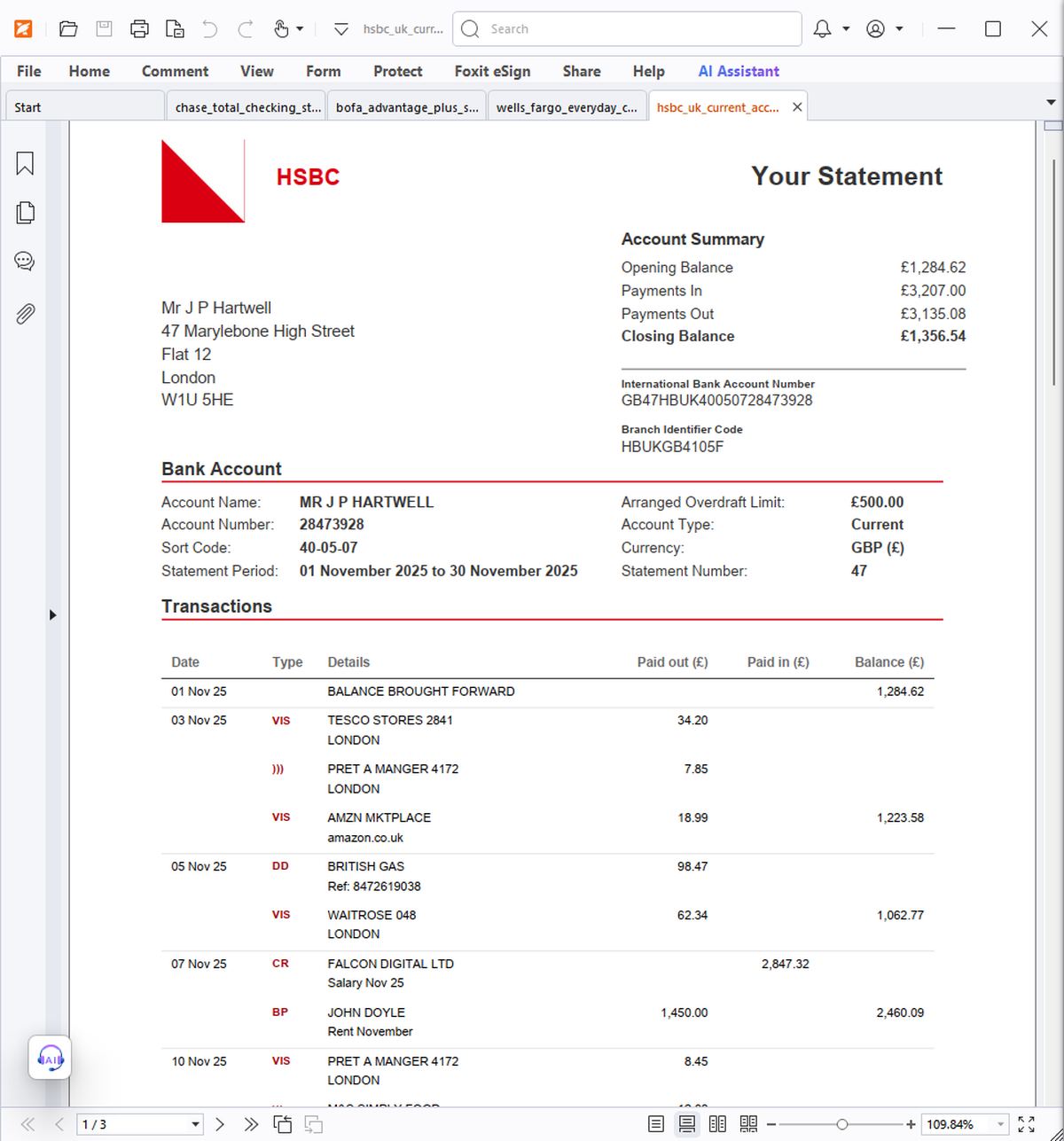
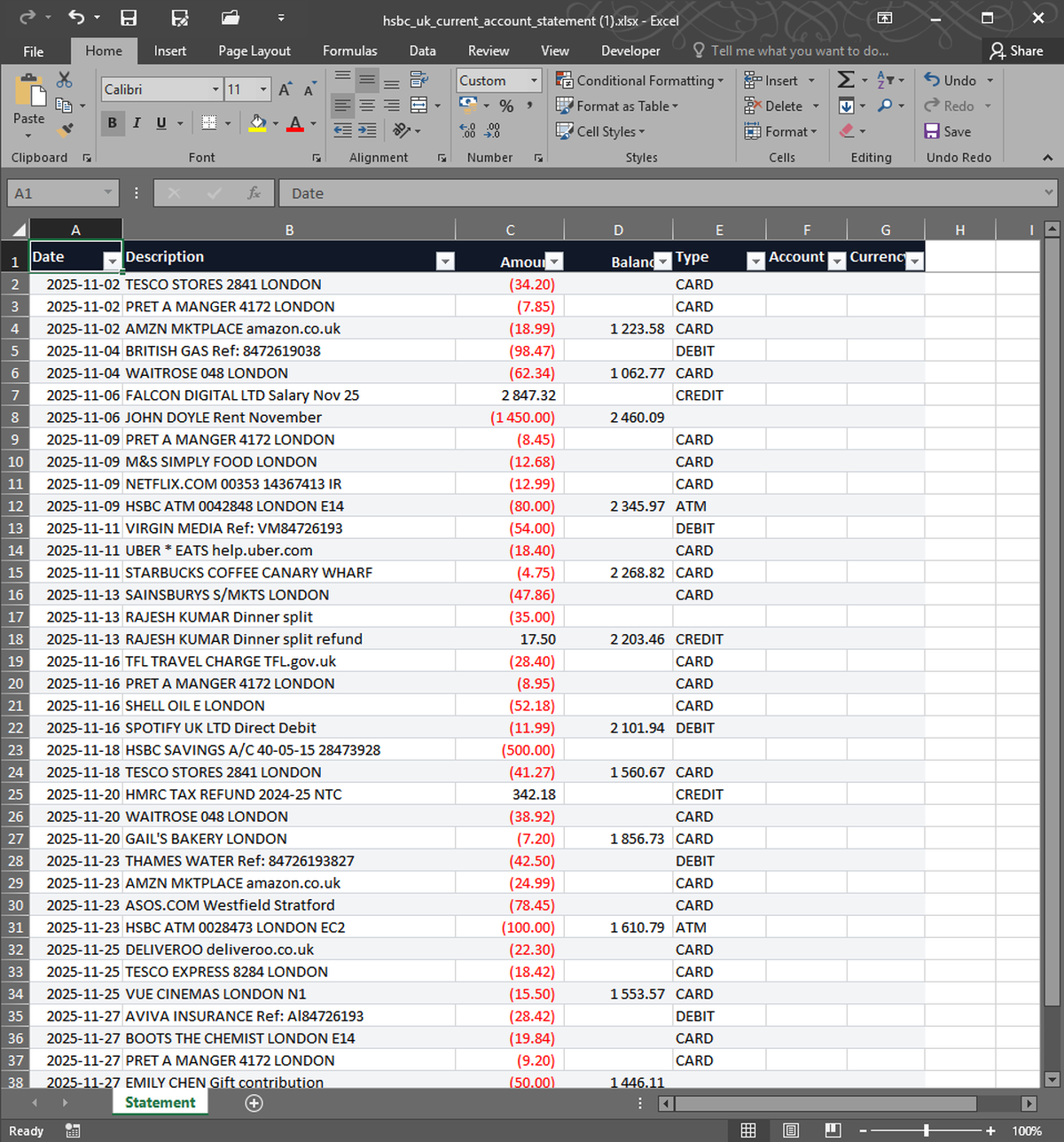


What you upload. What you get back. Nothing in between.
Most bank statement converters make you sign up or pay before you see a single row. StatementSnap gives you 2 free conversions up front with no account and no card — drop a PDF, CSV, OFX, or QFX and download a clean Excel or CSV in seconds. After the free conversions, single conversions are $0.99 or 10 for $4.99, so even paid use stays cheap. Works with any bank in any country. Files are processed in memory, never stored long-term, auto-deleted within 24 hours, and never used to train AI — your data belongs to you.
| Free tier | 2 free, no signup |
| Per conversion | $0.99 |
| Pack of 10 | $4.99 ($0.50 each) |
| Monthly 200 | $7.99/month |
| Files stored | No — processed in memory, deleted in 24h |
| Output formats | Excel (XLSX), CSV |
| Input formats | PDF, CSV, XLSX, OFX, QFX |
| Languages | English, Spanish, Portuguese |
Is it really free?+
Yes. The first 2 conversions are free with full quality and no signup. You only pay if you need more.
Do I have to create an account?+
No. The free conversions need no account and no card. You can pay per conversion later without a subscription if you prefer.
What's the catch on the free tier?+
There isn't one — the free conversions are the full product, same accuracy and same privacy guarantees as paid. The free count is per device.
Which banks and formats work?+
Any readable bank statement, any country. Inputs: PDF, CSV, XLSX, OFX, QFX. Outputs: Excel (XLSX) and CSV.
Real users, real names. We publish critical reviews too.
More reviews as users arrive. We list everyone, even the critical ones.
- Payments processed by Stripe ↗
- Hosted on Cloudflare ↗
- Files auto-deleted within 24 hours