Your bank statement, ready for QuickBooks.
PDF in, QuickBooks-ready CSV out. No retyping, no column mapping.
This is what comes out.
Real extractions. Real banks. The Excel files below were produced by the tool, not mocked up.

Chase Total Checking · 3 pages · 38 transactions

XLSX · 7 columns · QuickBooks-ready


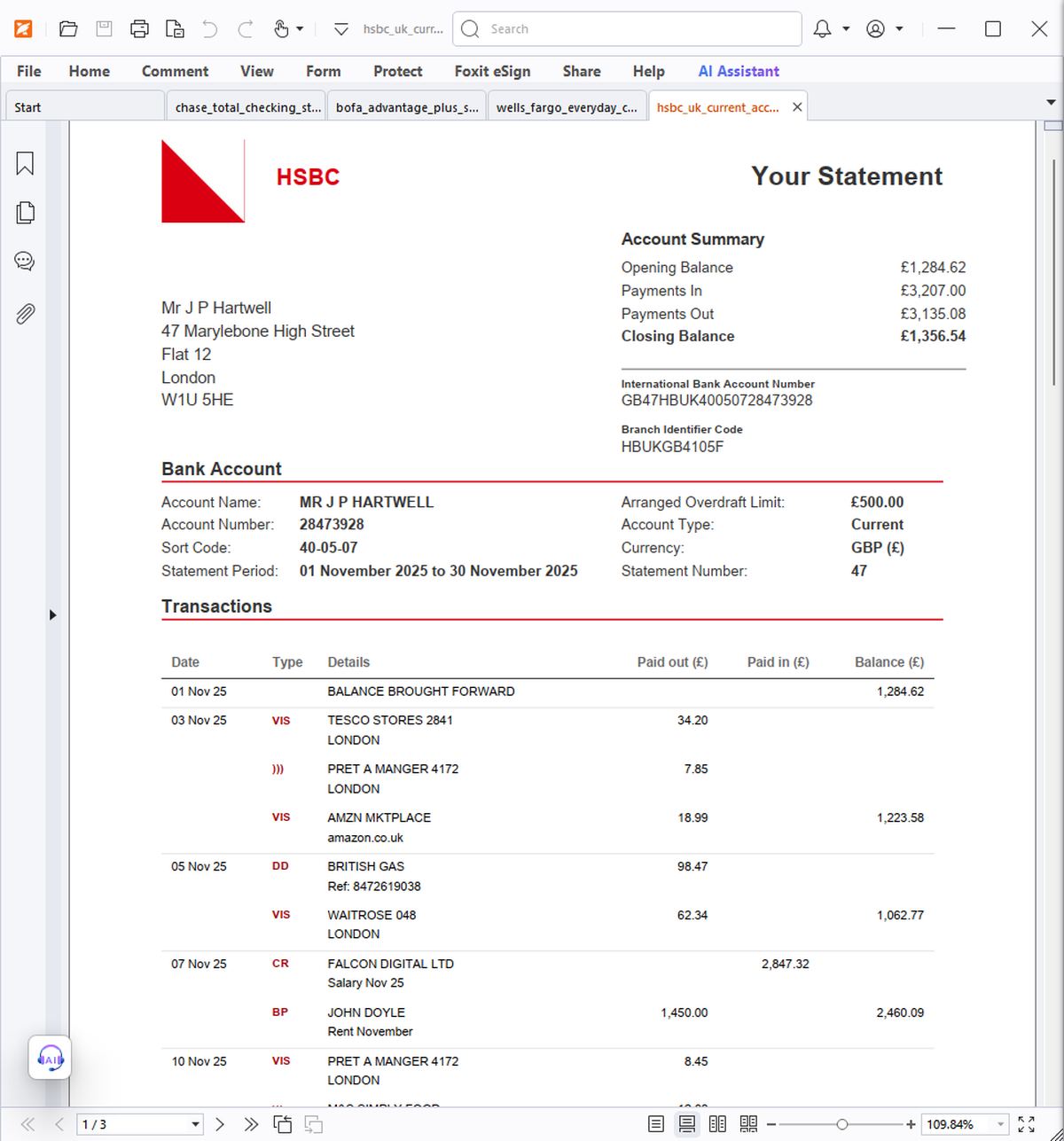
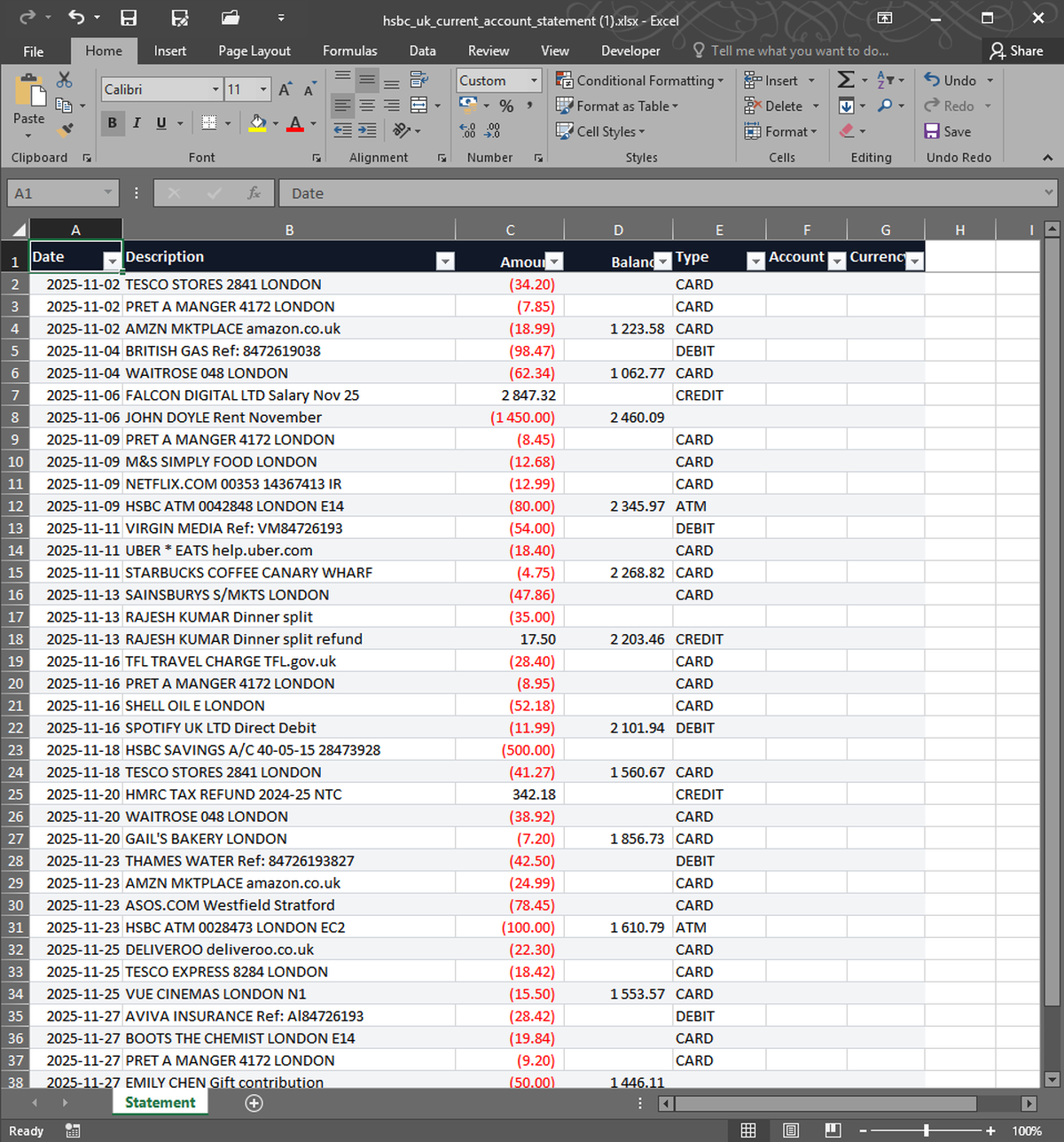


What you upload. What you get back. Nothing in between.
QuickBooks can import transactions from a CSV — but only if the columns and dates are formatted exactly right. StatementSnap converts any bank statement PDF into a CSV that QuickBooks Online and Desktop accept on the first try: ISO 8601 dates, numeric amounts, and a clean date / description / amount layout. Drop the file in, download the CSV, and use QuickBooks' Banking → Upload from file flow. Works for checking, savings, and credit card statements from any bank. Files are deleted within 24 hours and never used to train AI. First 2 conversions free.
| Free tier | 2 free, no signup |
| Per conversion | $0.99 |
| Pack of 10 | $4.99 ($0.50 each) |
| Monthly 200 | $7.99/month |
| Files stored | No — processed in memory, deleted in 24h |
| Output formats | Excel (XLSX), CSV |
| Input formats | PDF, CSV, XLSX, OFX, QFX |
| Languages | English, Spanish, Portuguese |
How do I import the CSV into QuickBooks?+
In QuickBooks Online go to Transactions → Bank transactions → Upload from file, then map the date, description, and amount columns (they line up automatically). In Desktop, use File → Utilities → Import → CSV.
Does it work with credit card statements?+
Yes. Personal and business credit card statements convert into the same clean format QuickBooks expects.
What about a three-column vs four-column format?+
The CSV works with both QuickBooks' single-amount and separate debit/credit layouts — pick the matching mapping on import.
Is my bank data safe?+
Yes. Statements are processed in memory, never stored long-term, encrypted in transit, and auto-deleted within 24 hours. We never sell your data or use it to train AI models.
Real users, real names. We publish critical reviews too.
More reviews as users arrive. We list everyone, even the critical ones.
- Payments processed by Stripe ↗
- Hosted on Cloudflare ↗
- Files auto-deleted within 24 hours